Wednesday, February 29, 2012

ADHD: Wicked Fast iPhone Photo ToDo Lists


When I made the transition from paper to digital back in the 90s when Palm Pilots still roamed the earth and Man was preparing for the impending Y2K apocalypse, I said good-bye to that trusty old standby for ToDo lists: the pen & paper. It was all digital for me, and I was prepared to spend as much time as was required to get my very complicated repeating ToDos to beep on cue and sync with the desktop for security. It may have occasionally required hours to bang out syncing bugs, but I was living in the future, baby!

Now that I'm older and wiser and finished selling a box of old Palm Pilots and Sony CliƩs on eBay for $20, I realize digital isn't always better, and I keep a pen & paper handy just in case. But I still love living in the future. I'm just smarter about it.

One smart trick I've come up with is to create fast ToDo lists by using my iPhone's camera when I don't have time to write items down. iPhones, smartphones, and most plain vanilla cellphones come with built-in cameras. That built-in camera is perfect for on-the-fly list making. Late for a meeting, but need to pop by the store on your way back to buy a few things? Snap a picture of them on your way out the door.

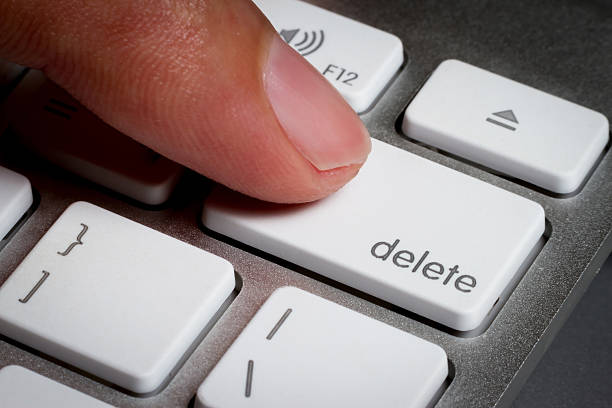
Don't be fancy. Don't launch your simulated analogue tintype app with 40 types of papers and variable temperature settings. Just snap, snap, snap! When you arrive at the store, open your photo album, go shopping, and delete each photo as you add the item to your cart.

You can group the items into one photo, or, as I prefer, run around the house and snap each item in its habitat. Don't worry about people seeing pictures of your toilet paper roll. You'll be deleting it within the hour. However, if you use cloud services and don't want to clutter up your stream with these ToDo photos, use a camera app that keeps its photos separate from the system roll. Camera+ on the iPhone is excellent for this. Just don't let yourself be distracted by its dizzying array of imaging tweaks.

There are apps (e.g. VisualList) that let you create complicated folders of ToDo lists & projects built entirely of photos, but I recommend sticking with your built-in camera for quick and dirty ToDo list making. With practice, you'll be surprised how quickly you can create these lists without picking up a single pad of paper.


Follow me on Twitter as @SplinteredMind. I also explore iPhone photography with Instagram as douglascootey (peek). And if you're a glutton for punishment you can friend me on Facebook as well, or find me on Path where I explore my coping strategy process with varying results..

Friday, February 17, 2012

Depression: The Best Cure Apparently Is Embarrassment

Today I almost invited a girl to a play. Fortunately, I came to my senses. Not yet. Way too soon. There are a few things I need to get in order in my life before I start making room for somebody new. Here’s a sample of the list:

A face not even a mother could love
  1. Achieve a gold platinum album with me playing favorite movie tunes on a penny whistle. Pan pipes optional.
  2. Become a rich land magnate on the Moon, with virally bad YouTube infomercials.
  3. Become translated.¹
  4. Learn how to take a serious photograph.

    Not necessarily in this order.


I must admit it is a work in progress, especially that translated part. Hooboy, will I get heat for my brony review. I have yet to see the fallout over that one. So instead of an awkward night on the town, I'll be watching "Arsenic and Old Lace" with my 13 year old. I couldn't be happier. And then I can focus on why I'm really there: to show my support for my friend, Heather Monson, one of the murderous old biddies.

As I struggle with Depression today, I am doing many things on my list to fight Depression off. I've exercised. I've sketched. I've organized my laundry and washed the dishes. I've made a fool of myself online. And yet Depression remains. Since I still have some fight left in me, I figure I'll blog, too. Maybe that will help me switch gears and feel better (or dig myself in deeper). And what better way than to discuss my charming new singles life!

I had asked one of the Elf's friends to cut my hair. He was studying at the local Paul Mitchell school in Sandy, and on a whim I thought it would be worth a shot. As he began removing tons of multi-colored hair that now included a lot of gray, the conversation moved onto the subject of dating. I talked about how I wasn't really ready yet and had promised myself I would wait until March 15th—the Ides of March and a bit over the six month mark—before I even considered it. Then I reflected on some odd conversations I had had with other single women and divorcees over the past few months and said aloud, "But I don't think the girls are going to be patient with me while I wait." I said it rather seriously, and with some nervousness.

But it sounded boastful, right? Yeah, I thought so too, so I changed the subject. Three minutes later there was a knock at the door. And I knew. It was a girl.

There I was with half my head shorn, hair all over my face, and a cute little cape around my neck. Unfortunately, the Elf was in the back room, so I asked her hairstylist friend with a nose ring and two snake bites to get the door.

"Is Douglas there?♪"

I know I'm healing because I thrilled to hear that, but what was I going to do? I felt like an idiot. How could I look cool when I looked like a half-trimmed hedge in drapes? Since there was no help for it, I opened the door wider and said "Hi!". Oh, the look in her eyes. It was my old neighbor who had moved to another building. She had brought over cookies for me and the girls. I assured her that the girls would get the cookies this weekend when they made the switch, and she, looking very awkward, let me get back to whatever I was doing and said "bye."

I went over to her place later to give my thanks properly, but that was a disaster, too. She had nine kids in her kitchen and I was terribly distracted by her little munchkin who looked from me to Mummy and giggled like Ernie on Sesame Street.

I am so very not ready for this. But I feel much better having written all this. So onwards with my day. And maybe with this picture I can check one thing off my list:

Mauve more cheesy than serious...


¹Mormon term for becoming a perfected being and being taken up to Heaven before the Second Coming, as happened to the denizens of the City of Enoch. It is not very likely to happen to me.


Follow me on Twitter as @SplinteredMind. I also explore iPhone photography with Instagram as douglascootey (peek). And if you're a glutton for punishment you can friend me on Facebook as well, or find me on Path where I explore my coping strategy process with varying results..


ADHD: The My Little Pony Review from Hell

Here's a little story about distraction.


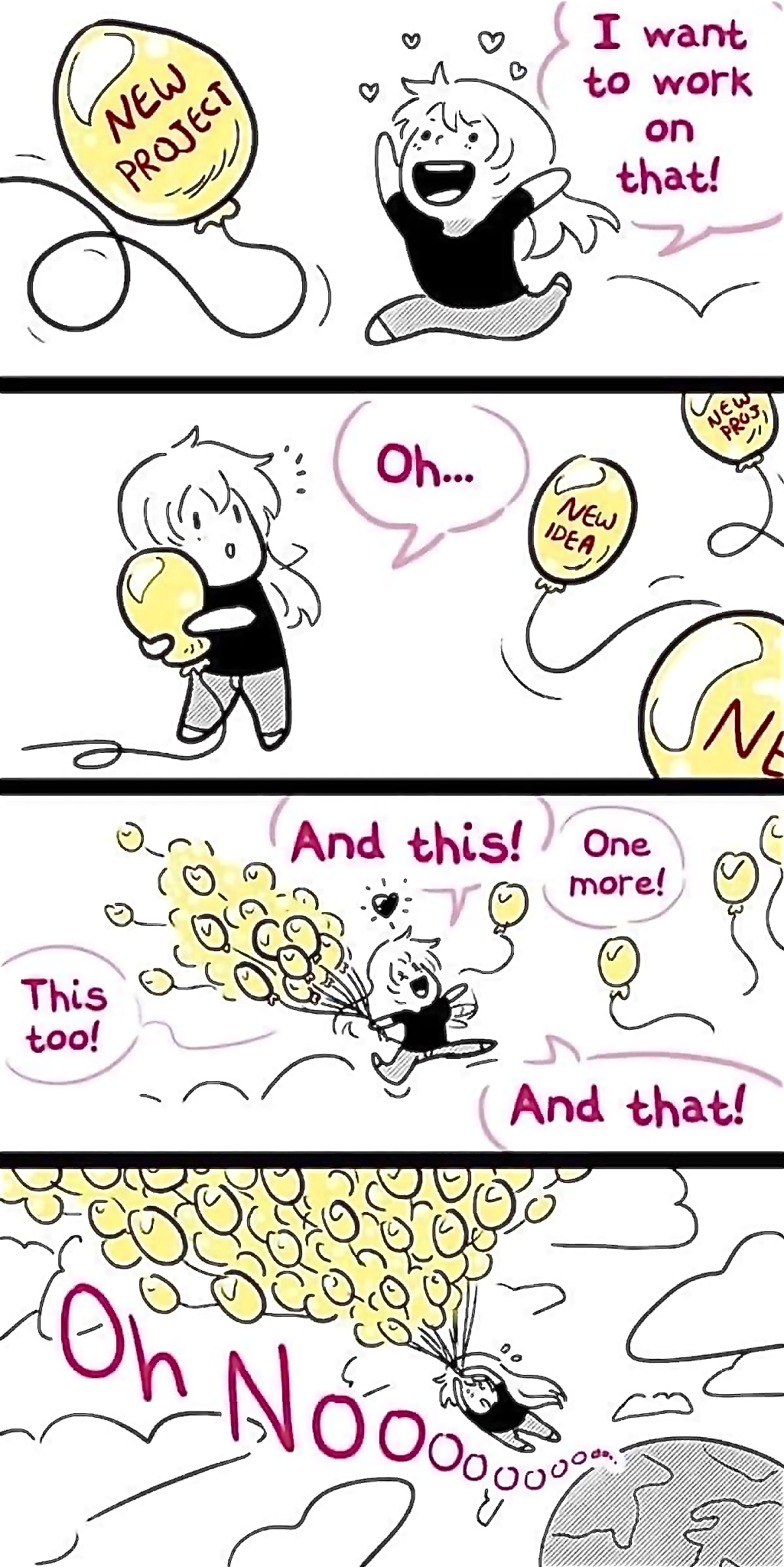
Having ADHD means that I spend a lot of time getting distracted, then getting back on task. Some distractions turn out to be cool, like my current middle grade novelette about a kid detective, and some are not so cool, like the urge to organize my books by color into a giant color gradient. I have learned to suppress the not so cool urges.

One urge I don't suppress is my occasional impulse to leave a cheeky app review on the iTunes App Store. I leave serious reviews for apps that impress me, but cheeky reviews for those that don't. I'm sure the app devs love them.

My latest review was inspired by the petulant 1 star comments left on the My Little Pony interactive ebook. You may not be aware, but there is a large fan base of 20-somethings who enjoy the latest incarnation of My Little Pony, created by Powerpuff Girls story writer, Lauren Faust. These fans, usually guys, call themselves bronies. Not all bronies are unhinged crazies. Many are very creative. Besides, have you seen football fans? But some of the angry reviews had the entertainingly embarrassing appeal of personal ads on Craigslist.

I had just purchased the ebook for my 10 year old My Little Pony fan. I opened the ebook and was immediately taken to a web page in mobile Safari instead that said "Thank you." The site was a marketing firm's site so I was a bit alarmed, especially considering the recent brouhaha over iPhone address book pilfering. I popped back over to the iTunes store to see what users were saying about the opt-in process. Instead, I found users angry at the app for another reason: there was no fan appeal for 20-something adults.

And so my distraction was born. Forgotten was my concern over the dodgy opt-in. Now I was inspired to leave a review:

 
Omigosh! I hate this app. How dare they make a children's app for a children's cartoon? Where are the sexy pics of frolicking ponies? Where is the slash fic? Don't they understand My Little Pony's true market is unmarried 25 year old men who still live with their mothers? Jeez…

Instead we got a cute interactive picture book with cut scenes from the movie and mini games to play that let kids collect items for their diary. Video cut scenes? What's up with that? This app took forever to install with my 28.8k baud connection. And the vids weren't even HD. Have some respect for us true fans. Who cares about the mysterious opt-in via Safari to a marketing firm's website? Where's our Canterlot cosplay cat house?

Like or raise a hoof if you agree.

I rated the app 4 out of 5 stars. Not sure if this is one of my finer moments, but I share it with you because I have received some touching but concerning emails from folks who are quite down on themselves for having ADHD. They haven't come to accept it as a part of them, but instead are focused on how Adult ADD has made life difficult. And because I blog about ADHD in a semi-lucid manner, some have put me up on a pedestal.

First, let me say "Thank you." I love the view from up here. However, give me time and I'll fall right off that pedestal. All you have to do is plan on seeing a movie with me and you'll want to brain me with that pedestal. Even though I am not (usually) late to movies anymore, my infamous tardiness has so scarred my friends that they feel we are late even when we are early, simply because I am there.

But forget about that. Look at what I wrote instead of working on my new short story about a kid detective. This wasn't a cheeky but therapeutic review to help me let off some steam. This was a gleeful distraction. It was fun to write, but I can't pretend it helped me get closer to the end of my novel. However, I'm not beating myself up about it. There is always tomorrow, and I'll especially stay away from the iTunes App Store when the sun rises.

Distractions happen. Stupid projects are begun. Focus is changed on a whim. This is the nature of ADHD. You can't always avoid it. Accept it as part of the problem, and learn how to compensate for it. And since distraction is going to happen again, learn to not beat yourself up over it. You will find laughter helps lift your spirits where you might otherwise feel stupid. And having a good attitude helps you bounce back and refocus much better than self-flagellation. Liking yourself despite your ADHD is key to overcoming the ADHD.

This is what I have learned over time, and it has helped me be happier and far more productive than any self-hate ever has. And besides, laughing at my mistakes instead of punching myself in the face has helped me become the cheeky git that developers world wide are thrilled to hear from. And then, when I finally publish a book, karma will send a cheeky git my way to make my day. See? It's all good.


Follow me on Twitter as @SplinteredMind. I also explore iPhone photography with Instagram as douglascootey (peek). And if you're a glutton for punishment you can friend me on Facebook as well, or find me on Path where I explore my coping strategy process with varying results..

Friday, February 10, 2012

Just How Dangerous Is Path Really?

Considering that I recently posted a glowing review about the iPhone app, Path, the other day, I felt it was important to address the recent security hullaballoo that they created, even if it does wander a bit away from my usual topics.


Adding friends in Path


There's a lot of FUD out there regarding Path. You can read the Gawker article on it where they set themselves up as bastions of integrity offended by the very existence of Path, or you can read the original blog article by Arun Thampi and Path's response.

As far as I understand things, in order for Path to see if friends and family of yours are on Path, they need to cross reference your address book with their database. Phone numbers and email addresses are how they tell one John Smith apart from another. It's how they know which John Smith to recommend to you. Where Path erred was in not letting people know this was how they did their matching magic. Also, they used a built in iPhone developer command to download the entire address book onto their server the moment folks signed up to the service. Whoops.

As convenient as this user search process is, it is unnerving to have family members' contact information on Path's servers. Many people weren't just unnerved, though. They became unglued. As is usually the case with online fury, there was a lot of saber rattling. I'm glad Path deleted that database as a gesture of good will. However, they could have created encoded hashes for each entry to make comparisons with, and not kept our data on their servers in plain text. With corporate servers being the happy playgrounds of hackers, people were right to be upset that their address book was residing somewhere on Path's premises. Of course, many of these same people used Facebook, Google+, and Twitter to voice their complaints. Many of these same people sync their address book to a cloud, whether iCloud or others. Each company has taken flack for privacy issues. Each one has access to their users' address books. The train has already left the station and Path's not at the helm.

As we all move online, I don't see how this type of info sharing is going to be avoided. And people staying with Facebook or flocking to Google+ isn't going to be the answer. Those services are hardly stalwartly examples of privacy ethics. Google+ is now integrated with your Google search results. You do realize that Google tracks your search usage, right? And Facebook just got themselves into hot water for allowing Politico unprecedented access to user info. Where is the mass exodus from Facebook over that one? Where there just not enough tech pundits complaining about it?

Short of turning off the internet and using stamps and envelopes again, perhaps what would be helpful is if companies stopped being cavalier with our personal data. On the iPhone, Apple should let us flag certain address book entries as private so that we have control over what information companies have access to. Does Facebook need to access my daughters' phone numbers to help provide me better social connections with them? Does Path need to keep a copy of my actual address book in order to help me connect with others on their network? Why on earth would Apple allow just anybody to request a complete download of our address books anyway?

Lifting the torches and clamoring for the heads of one company over the other won't solve this problem. The problem starts with the makers of our phones and computers. They need to give us tools to help us retain ownership of our data. Marketing data is a major driver of commerce. There is a lot of abuse out there, but there is a lot of harmless, even helpful use out there, too. Still, it's a tricky issue. I don't care if Smith's knows I buy a lot of Zone bars, but I would care if they had a dossier on which child of mine shared them with me. As consumers we like convenience, but privacy is still important to us.

As for Path, I will continue to use the service. It's stylish and beautiful—wrapping Instagram, Twitter, and Facebook all into one package. The new update gives us an option to opt out of sending our address book to their servers. You just won't be able to scan their user list and run a comparison with your address book anymore. In the future, though, I would hope Apple focuses on these issues. I'd like to see them address consumer security as efficiently as they've recently addressed enterprise security.


Follow me on Twitter as @SplinteredMind. I also explore iPhone photography with Instagram as douglascootey (peek). And if you're a glutton for punishment you can friend me on Facebook as well, or find me on Path where I explore my coping strategy process with varying results.

Wednesday, February 08, 2012

ADHD: Apple Reminder's Location Alerts To the Rescue

<b>Reminder</b> utilizes iOS' notification system

How many times have you driven out to do errands and forgotten to get something? It might be strawberries at the grocer while they are in season, or the paperwork from the school, or maybe you forgot to drop off something like the library books that are knocking around in your car. For me it was forgetting to check my blood pressure at the grocers every time I went there.

Need milk? Off I went. Back I came. No blood pressure checked. Need diapers? Same story. Time and time again I would head out to the grocers and return without a reading. Somehow I never remembered to add it to the shopping list, or I didn't check the list it was on when I was shopping. 

Assuming you aren't trying to avoid the task, sometimes it would be helpful if something could interrupt your reverie right about the time you were nearby. That's where Apple's Reminder comes in.

First the bad news: I've run Reminder through its paces over the past few months, and have found it very lacking as far as ToDo list apps go. You can enter and check off tasks, and see what tasks you've completed. Scheduling a task can give it an alarm and lets you filter it from the other tasks when tapping on the "Date" tab. Functional, but basic, with too many taps needed for the extras. You can't even organize the list of tasks in any way, shape, or form. Schedule different tasks at different days, or change their priorities…they remain in the order in which you entered them. You can't even see what the priority of a task is without tapping on the task. But where the app shines is in location awareness.

Once I create a task, I can select it again to access the details menu. Tapping "Show More" gives you access to Priority and Notes. Tapping "Remind Me" gives you access to the alarm (which you can change by tapping on the default date it gives you), and the location reminder.

Location screen

By default, Reminder assumes you want to have a reminder set for your current location. You can then choose to trigger an alert for when you leave or arrive. Want a reminder to bring along those library books before you leave the neighborhood? Tell Reminder to give you a holler when you leave your home. Want to remember to stop by the front office before unloading your groceries and getting busy with dinner? Tell Reminder to give you a holler when you arrive at your apartment. If you want to remember to pick up strawberries at the store, tap on the location field and add your grocer.

In practice I have found Reminder does a great job using the iPhone's built in GPS system. When leaving my apartment complex, Reminder will go off, giving me a chance to turn around and go get those stupid library books. When driving near the vicinity of the library, Reminder will remind me again. Very handy. Of course, if I am nowhere near the library, those poor books will just collect fines and damage in the back of my minivan. Whenever I go grocery shopping, tho, the blood pressure reminder goes off and I remember to do it. I find myself using Reminder solely for location based reminders. Compared to other ToDo list apps that try to be location aware, Reminder beats them all handily.

There are a few quirks in this version 1.0 app. Occasionally, Reminder freaks out when the GPS system gets wonky. I can be sitting there reading a book when Reminder, for example, alerts me to return the library books as if I've left the building. During those times it will also trigger arriving task reminders. I had five leaving alarms and three arriving alarms one day and they were all going off every few minutes. I was ready to throw my iPhone at a wall. Fortunately, that doesn't happen often.

The location awareness isn't quite good enough for malls unless you are actually traveling to it. If the shop you want to remember to drop by is too far away from road, sometimes the reminder will not activate. Also, reminders for routes that you travel faster than 40mph along aren't helpful when they go off after you've passed the exit or turnoff.

Lastly, the location field can't add locations that aren't in your address book. This is a severe limitation, in my opinion. I don't want to clutter up my address book with entries for every business that I hope to run errands at. Hopefully Apple will address this limitation in future updates and allow us to stick a pin on any location we want to trigger a reminder at. I can see this very useful for triggering reminders at parks and scenic locations where I like to draw or write, as well as temporary locations I don't ever plan on visiting again.

Overall, I find Reminder very useful in combatting my ADDled mind simply for its location aware alerts. I find them very handy, even with the v1.0 quirks. I keep my reminders down to one or two per location to avoid overwhelming myself, and have been "remembering" to do much more lately because of it. If you have an iPhone and have ADHD, you would be doing yourself a big favor by taking a few minutes to become familiar with this powerful reminding tool.


Follow me on Twitter as @SplinteredMind. I also explore iPhone photography with Instagram as douglascootey (peek). And if you're a glutton for punishment you can friend me on Facebook as well, or find me on Path where I explore my coping strategy process with varying results..
Related Posts with Thumbnails